
In July 2008, a developer named Rick Muething presented a new digital protocol at the ARRL/TAPR Digital Communications Conference in Chicago. The protocol was called WINMOR – an acronym for Winlink Message Over Radio. It ran on a sound card. No expensive hardware modem required.
That was the point. Before WINMOR, sending email over HF radio meant buying a PACTOR modem – a dedicated piece of hardware that cost over a thousand dollars. WINMOR opened HF digital communications to anyone with a computer, a radio, and a simple audio interface.
Note: “Winmore” is a common misspelling. The correct name is WINMOR – derived from “Winlink Message Over Radio.”
100,000+
Messages per month through Winlink (as of 2008)
What is Winlink?
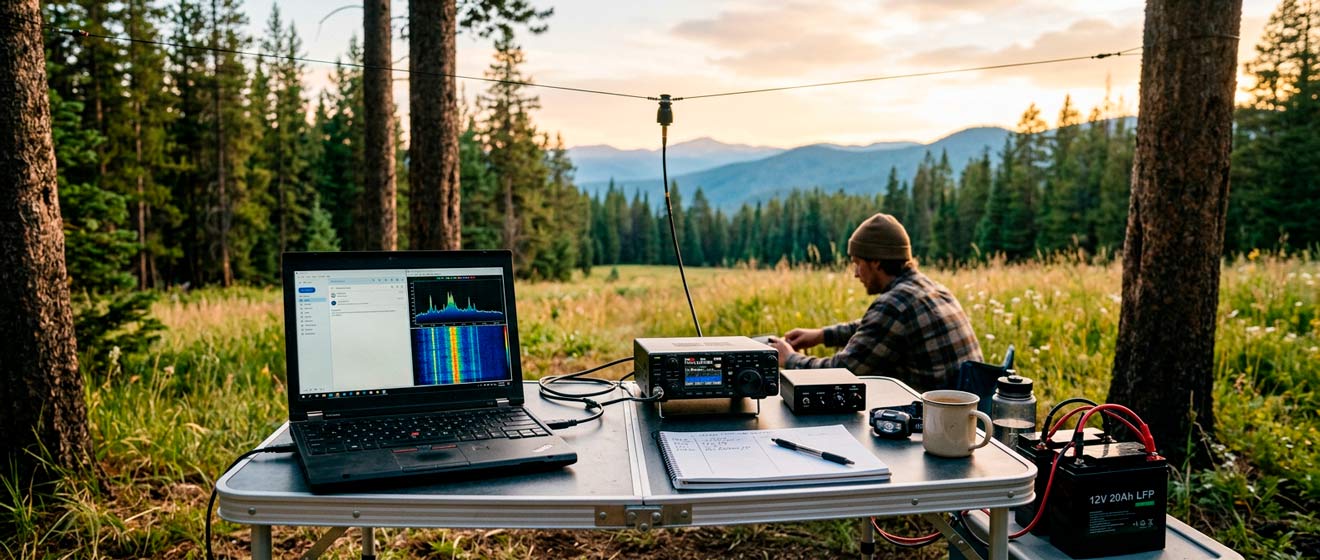
Winlink Global Radio Email® is a worldwide messaging system that sends email over radio frequencies. The network connects licensed amateur radio operators, government agencies, and NGOs. When internet access fails – after hurricanes, earthquakes, or grid outages – Winlink keeps email flowing.
1,000+
Volunteer gateway stations worldwide
99.99%
System availability
The system works through Radio Message Servers (RMS) – gateway stations run by volunteers. Your radio connects to an RMS, which forwards your message to a Central Message Server (CMS) via internet. The CMS handles routing, storage, and delivery to regular email addresses. The network migrated to Amazon Web Services in 2017–2018 for redundancy.
If internet links fail, the system continues operating through Hybrid Network stations that relay messages RF-to-RF without touching the internet.
Who Runs It?
The Amateur Radio Safety Foundation (ARSFI), a US-based 501(c)(3) non-profit, supports the Winlink infrastructure. Everything is volunteer-built and volunteer-operated. The US Department of Homeland Security uses a parallel Winlink network (SHARES) for government emergency communications. The American Red Cross, Canadian Red Cross, and other international NGOs have their own instances. All can interoperate when needed.
Understanding Winmor Protocol
WINMOR transmitted data using either a 500 Hz or 1600 Hz bandwidth mode. It achieved speeds between 67 and 1,300 bits per second, slower than PACTOR, but free. The protocol used ARQ (Automatic Repeat Request), meaning the receiving station requested retransmission of any corrupted data.
⚠️ Deprecated Protocol
In July 2020, the Winlink Development Team officially deprecated WINMOR. Gateway operators were asked to remove it in favor of ARDOP, VARA HF, or PACTOR. The protocol served its purpose, proving that sound card modes could work, but faster alternatives now exist.
Muething didn’t stop with WINMOR. In 2015, he introduced ARDOP (Amateur Radio Digital Open Protocol) as its replacement. ARDOP added multiple bandwidth options, better error correction, and improved performance in multipath conditions. The protocol remains open-source and actively maintained.
Winmor vs VARA: Protocol Comparison
Today’s HF Winlink landscape has shifted. VARA HF, developed by José Alberto Nieto Ros (EA5HVK), delivers speeds comparable to PACTOR 3 using only a sound card. The software is shareware – free to use at reduced speed, $69 USD to unlock full performance.
Protocol | Max Speed | Bandwidth | Cost | Hardware | Status |
|---|---|---|---|---|---|
VARA HF | ~5,600 bps | 500 / 2300 Hz | $69 USD | Sound card | Active |
PACTOR 3 | ~2,700 bps | 2400 Hz | $1,200+ USD | SCS modem | Active |
PACTOR 4 | ~5,200 bps | 2400 Hz | $1,500+ USD | SCS modem | Active |
ARDOP | ~500 bps | 500 / 2000 Hz | Free | Sound card | Active |
WINMOR | ~1,300 bps | 500 / 1600 Hz | Free | Sound card | Deprecated |
“The much less expensive VARA HF did especially well across the range of conditions tested. VARA and the SCS modems could run long test cases without losing connection while ARDOP and WINMOR were slow and less reliable.”
— Winlink IONOS Simulator Study, 2020
Which Protocol to Choose?
Budget-conscious: VARA HF offers the best speed-to-cost ratio. The license fee is a one-time purchase.
Maximum reliability: PACTOR 4 (requires hardware modem) remains the most robust in poor conditions, though VARA competes well.
Open source: ARDOP is fully documented and free. Performance lags behind VARA and PACTOR, but it works.
Common Winlink Frequencies
Winlink frequencies span multiple HF bands. Gateway stations listen on specific channels, and Winlink Express automatically downloads current frequency lists from the network. The table below shows typical frequency ranges – actual gateway availability varies by location and time.
Band | Center Freq | Dial (USB) | Propagation Notes |
|---|---|---|---|
80m | 3.584–3.600 kHz | 3.583 kHz | Night, regional (NVIS) |
40m | 7.075–7.102 kHz | 7.078 kHz | Day/night, regional to DX |
30m | 10.143–10.148 kHz | 10.142 kHz | Day/night, excellent DX |
20m | 14.103–14.108 kHz | 14.102 kHz | Daytime, long-haul DX |
17m | 18.103–18.108 kHz | 18.102 kHz | Daytime, DX during high solar |
ℹ️ Center vs Dial Frequency
Winlink software uses center frequencies. Your radio dial shows the suppressed carrier frequency (USB). For VARA HF 2300 Hz mode, subtract approximately 1.5 kHz from the center frequency to get the dial frequency.
Band selection matters. 80 meters works best at night for regional (NVIS) coverage – 300–500 km. 40 meters bridges day and night, regional to moderate DX. 20 meters excels during daylight hours for long-haul contacts. Check propagation predictions before choosing a band.
Getting Started with Winlink
Setting up Winlink takes about an hour for someone with an existing HF station. The learning curve is gentle, if you can send an email and tune your radio to a frequency, you can run Winlink. Most newcomers start with VARA HF because it offers the best balance of speed, cost, and ease of setup.
What You Need
- Amateur radio license – In Canada, Basic + Advanced for HF. In the US, General or Extra class.
- HF transceiver – Any SSB-capable radio. Many modern rigs have built-in USB sound card interfaces.
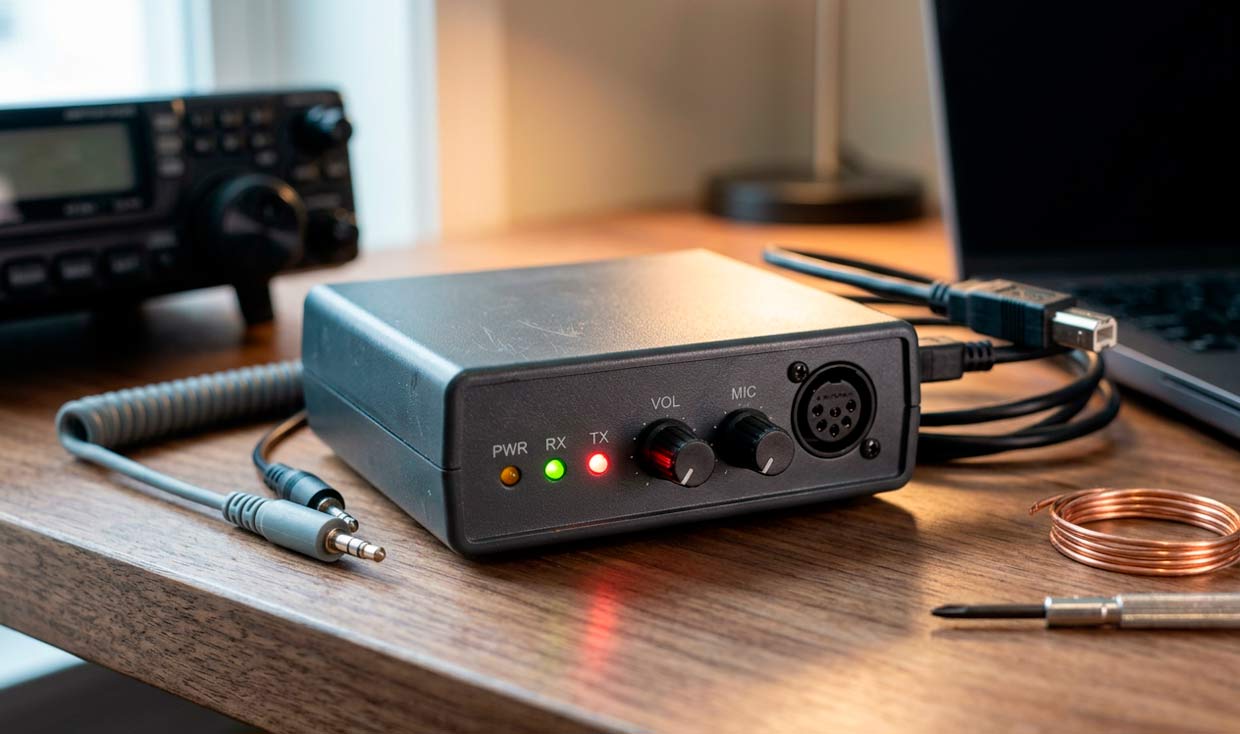
- Sound card interface – SignaLink, Tigertronics, or similar. Some radios (IC-7300, FT-991A) connect directly via USB.
- Winlink Express – Free client software. Download from downloads.winlink.org.
- VARA (optional) – Install from within Winlink Express when you select a VARA session for the first time.
First Connection
Your account is created automatically when you first connect to the Winlink system. Use your callsign as your username. The system will send a password to your Winlink inbox – retrieve it on your second connection. Your radio email address becomes [email protected].
Messages on amateur frequencies are not encrypted and have no expectation of privacy. Anyone with the right equipment can read them. Regulations in Canada (ISED) and the US (FCC) require this, it’s not a bug, it’s the law.
WINMOR proved that sound card digital modes could replace expensive hardware. ARDOP refined the approach. VARA made it fast. The protocols evolve, but the goal stays the same: email that works when the internet doesn’t.
Resources
- Radio Amateurs of Canada: rac.ca
- Winlink Official Site: winlink.org
- VARA Downloads: downloads.winlink.org
- Gateway Channel List: winlink.org/RMSChannels
Winlink Global Radio Email® is a registered trademark of the Amateur Radio Safety Foundation, Inc.